
Test cases: Process orders
A big part of the integration is transmitting orders correctly.
The following test cases only describe the order in general and not the address mapping that comes with it, find address mapping test cases here: Test cases: Address mapping
1.1 Order as B2B client
In Shopware:
- Log in to Storefront with a b2b customer (prices exkl. VAT)
- Place a new order
In Abacus:
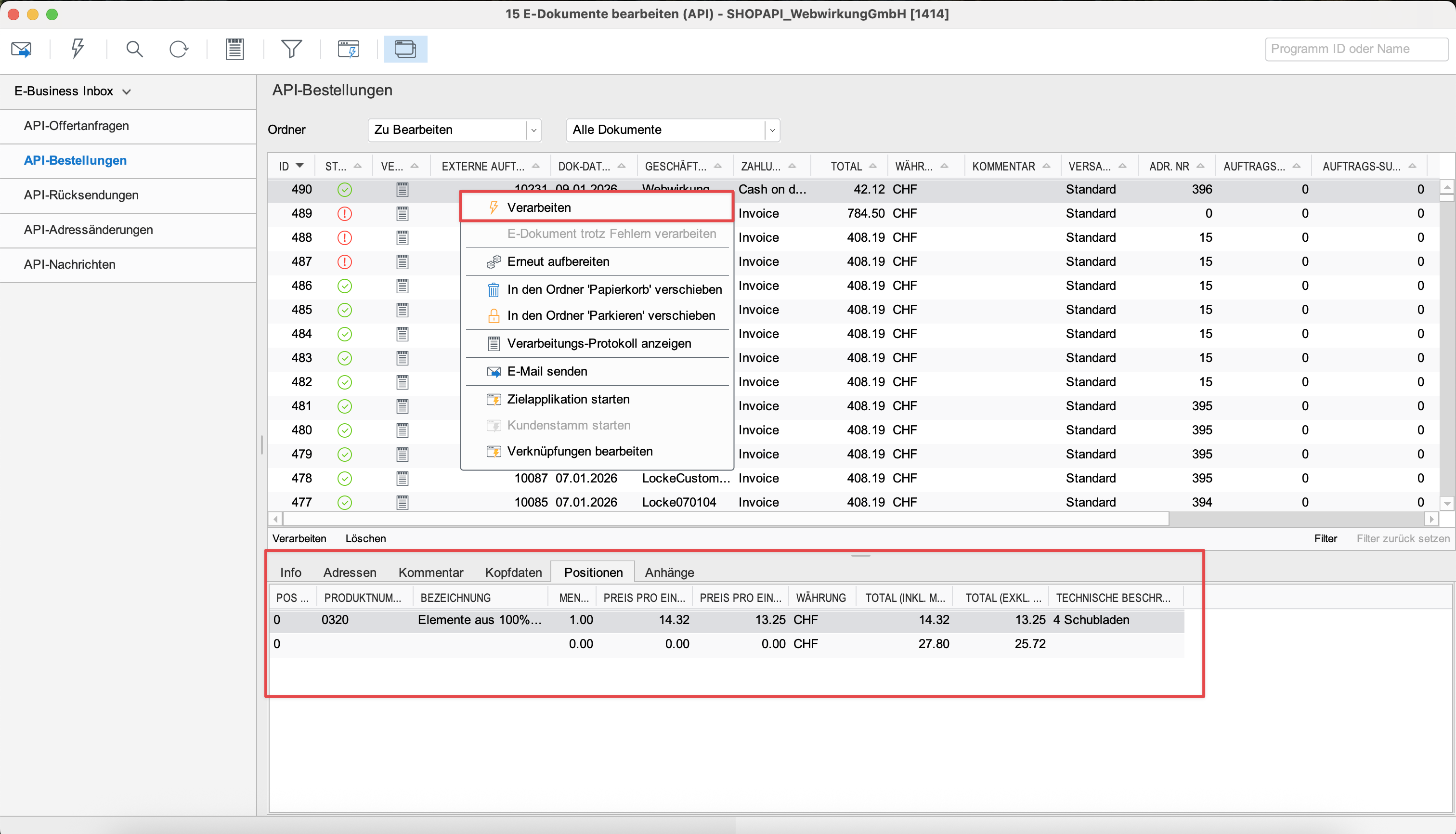
- Go to Abacus -> E-business -> Edit e-documents(API)(J15)
- Find your order
- Check if the total amount and line-item rounding in list view matches with your Shopware order
- Process order in Abacus
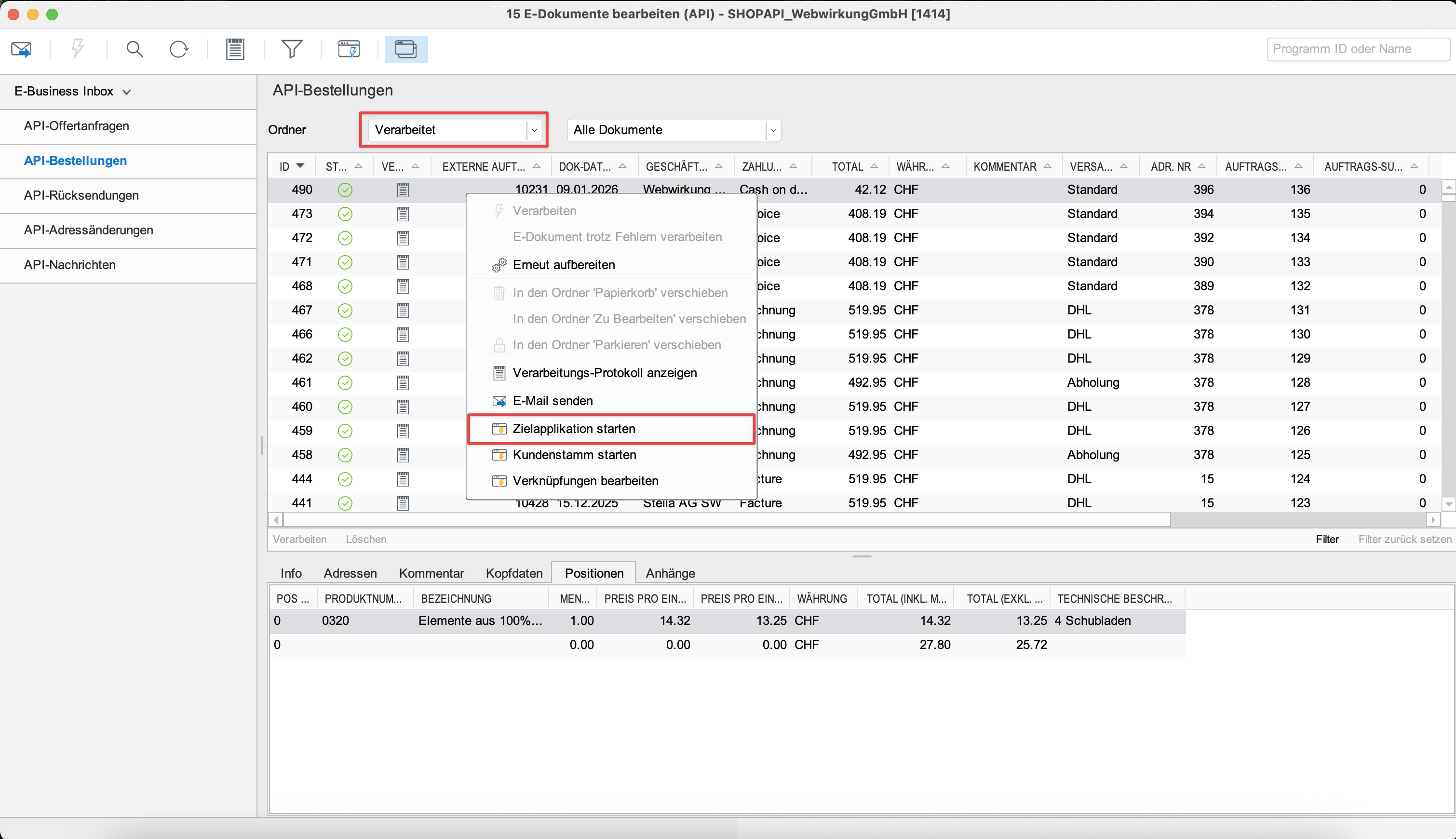
- Switch to «closed orders» and open processed order
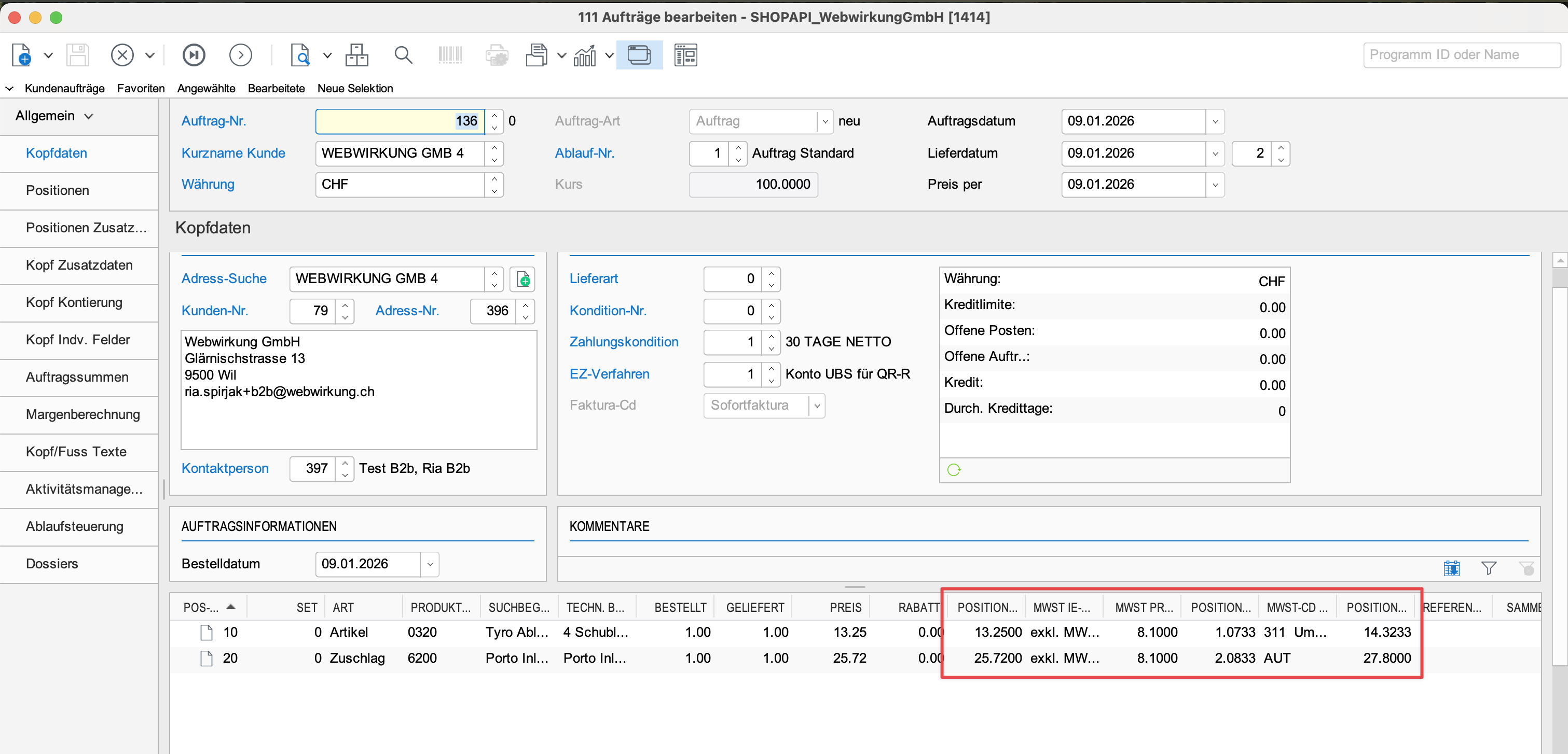
- Check if the rounding on each line-item matches with your Shopware order
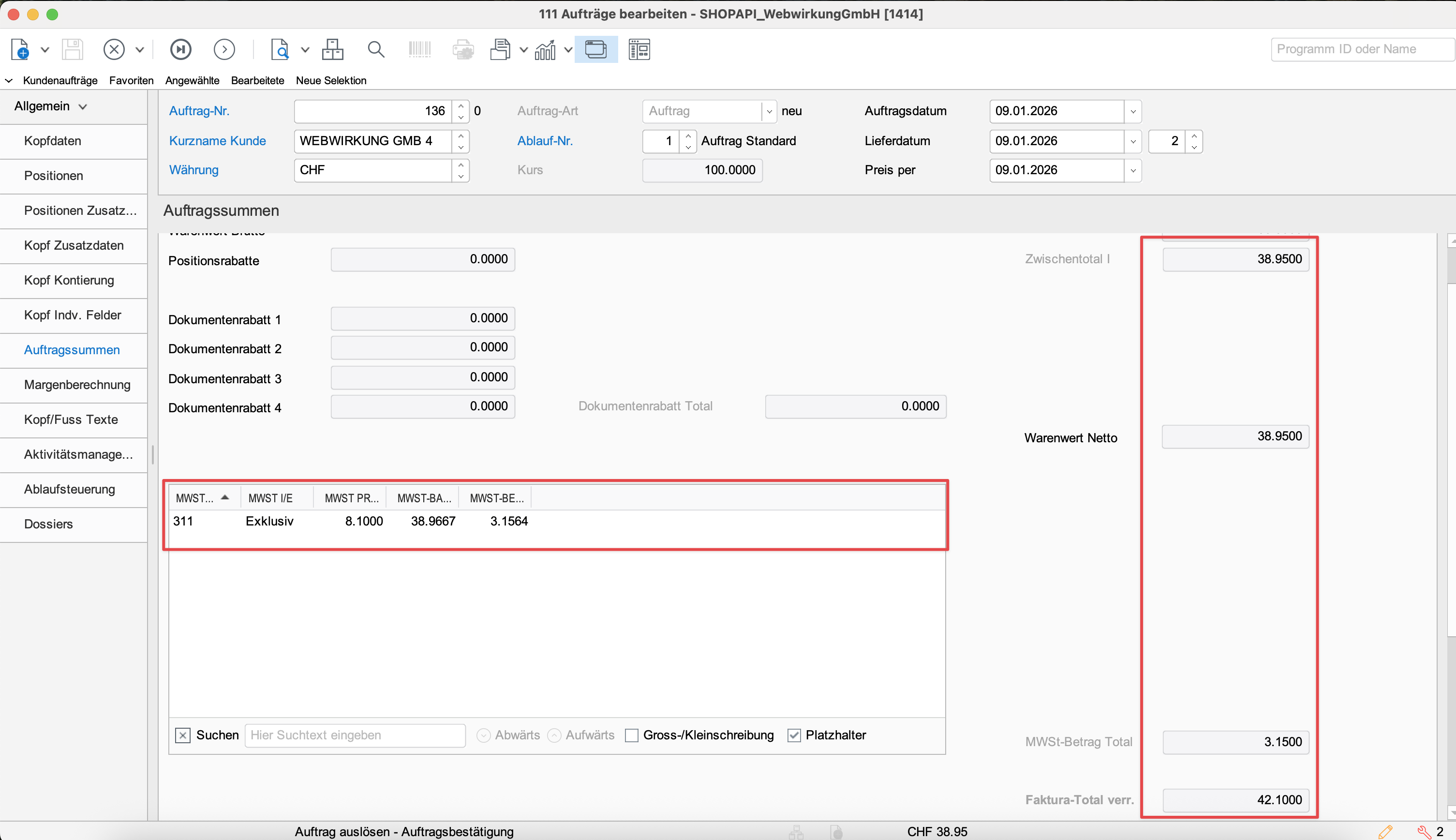
- Check if the total amount matches with your Shopware order
| Check amounts in listview & Process order | Open processed order |
|---|---|
 |  |
| Check line-items | Check total amounts |
|---|---|
 |  |
1.2 Order as B2C client
In Shopware:
- Log in to Storefront with a b2b customer (prices incl. VAT)
- Place a new order
In Abacus:
- Go to Abacus -> E-business -> Edit e-documents(API)(J15)
- Find your order
- Check if the total amount and line-item rounding in list view matches with your Shopware order
- Process order in Abacus
- Switch to «closed orders» and open processed order
- Check if the rounding on each line-item matches with your Shopware order
- Check if the total amount matches with your Shopware order
| Check amounts in listview & Process order | Open processed order |
|---|---|
| |
| Check line-items | Check total amounts |
|---|---|
| |
1.3 Possible fixes
If your tests fail at some point, you might need to change configuration in Shopware: