Test cases: Order with discount
Please remember that the abacus allows only for percentage discounts. More info.
1. Cart discount
In Shopware:
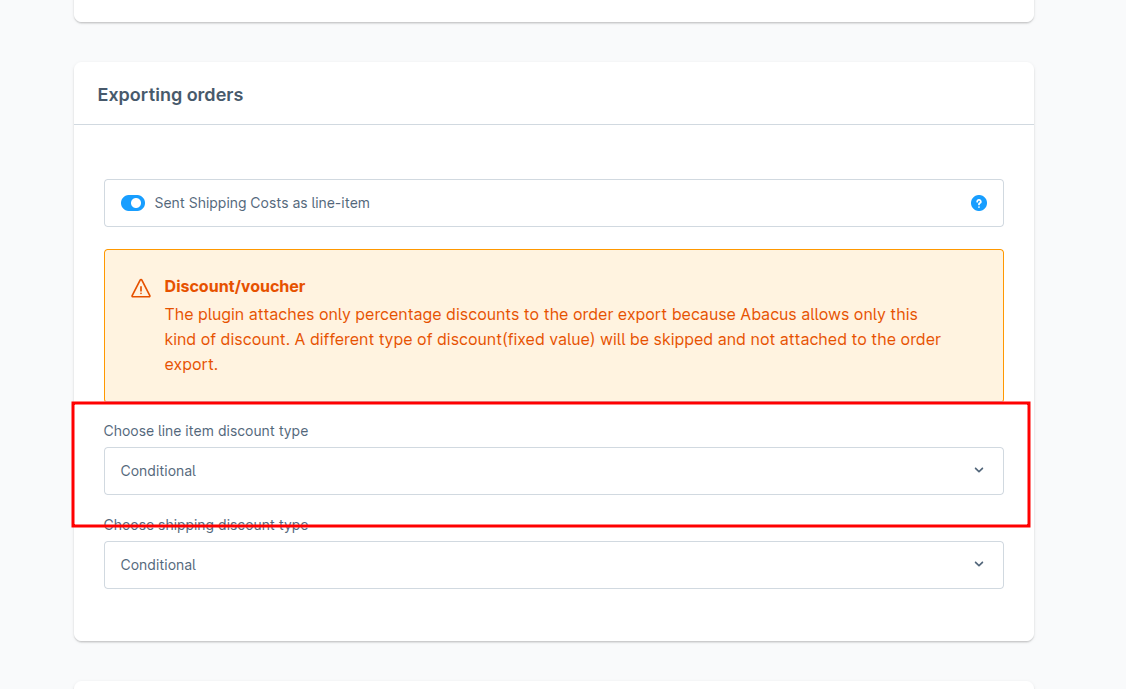
- In plugin configuration, please set the discount type for the line item:
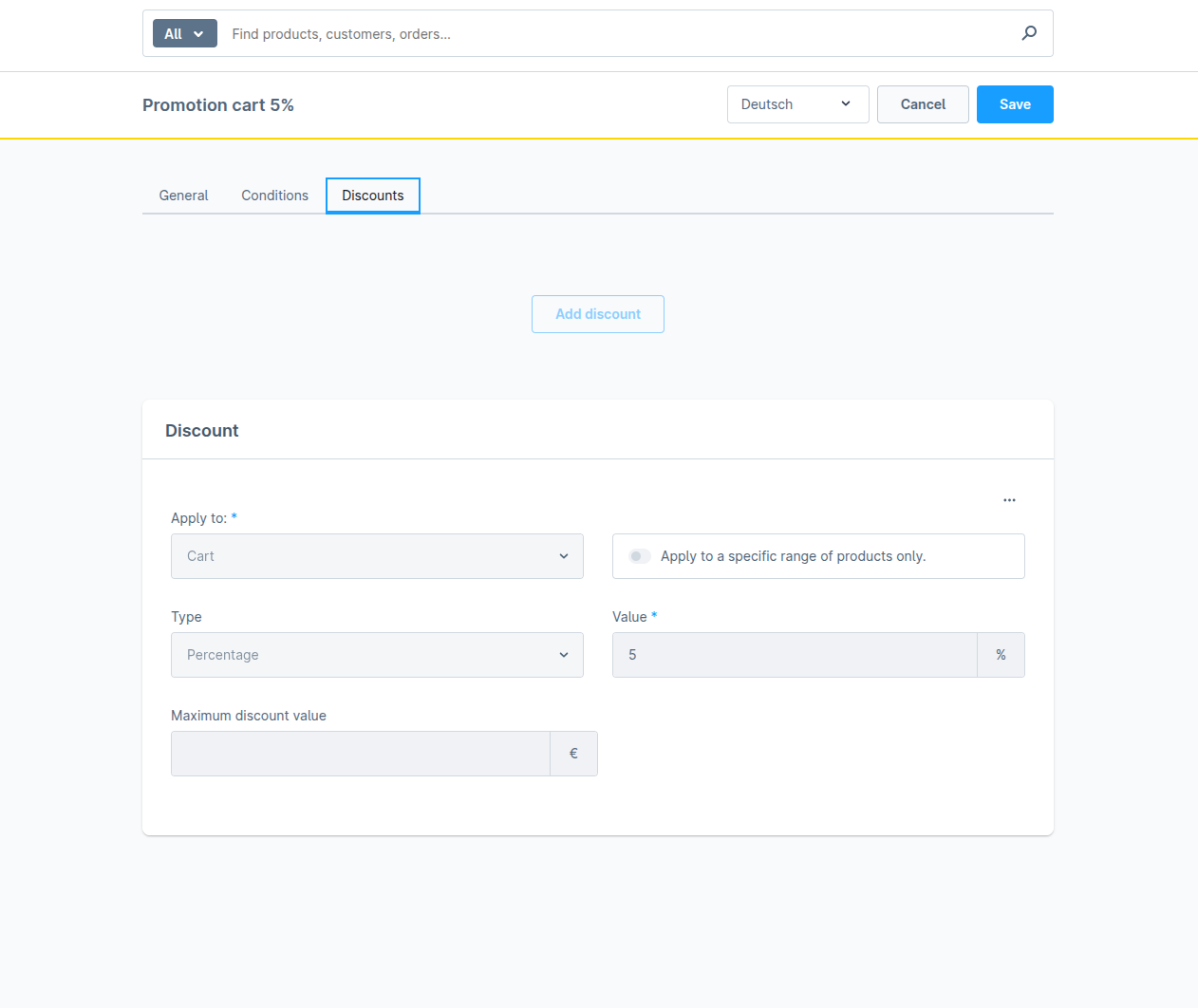
- Create a percentage promotion for a cart:
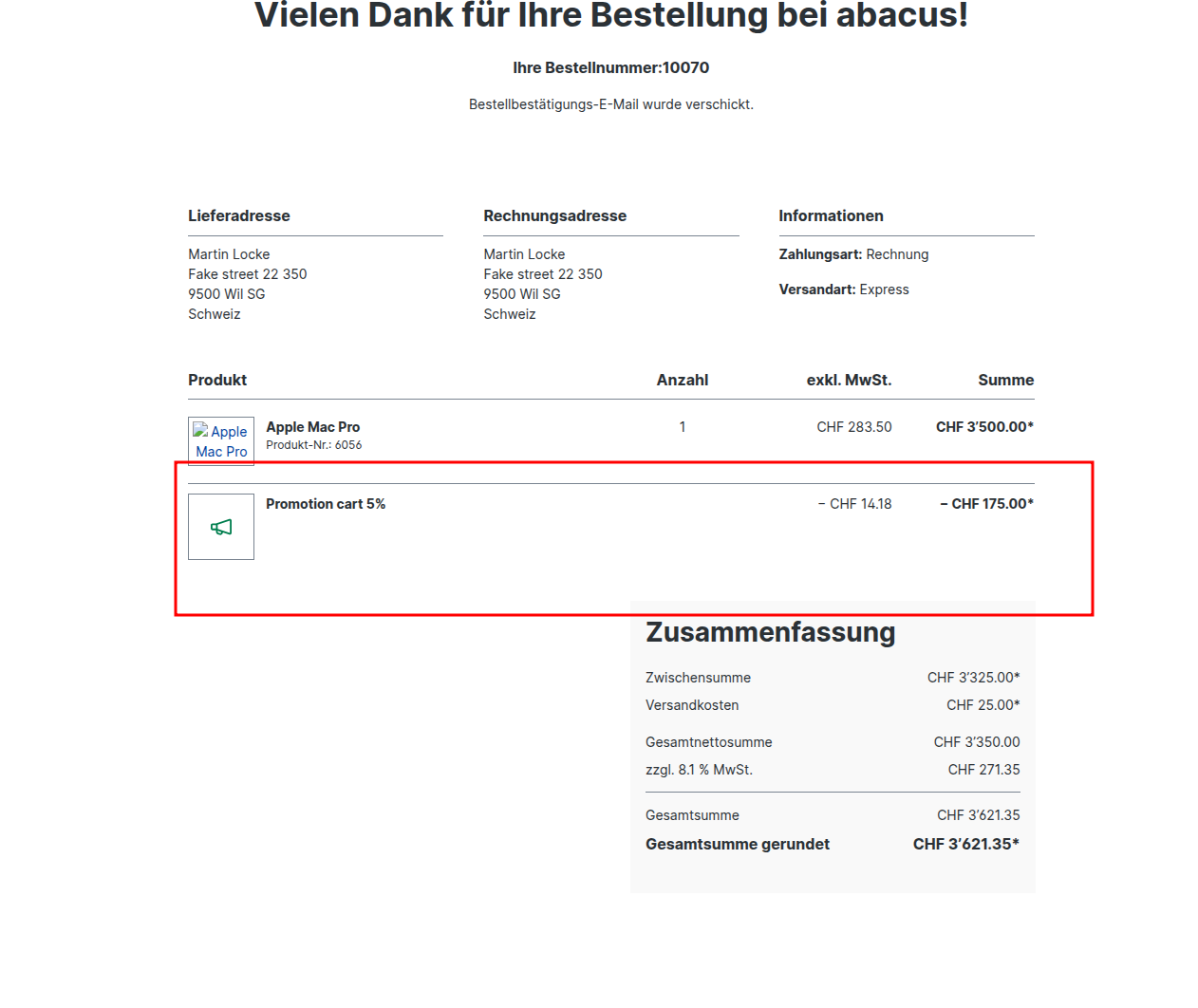
- Place an order with a promotion:
In abacus
- Go to Abacus -> E-business -> Edit e-documents(API)(J15)
- Find your order
- Process order in Abacus
- Switch to Order Processing -> Edit orders(111)
- Find your order
- Choose Additional item data on the left bar
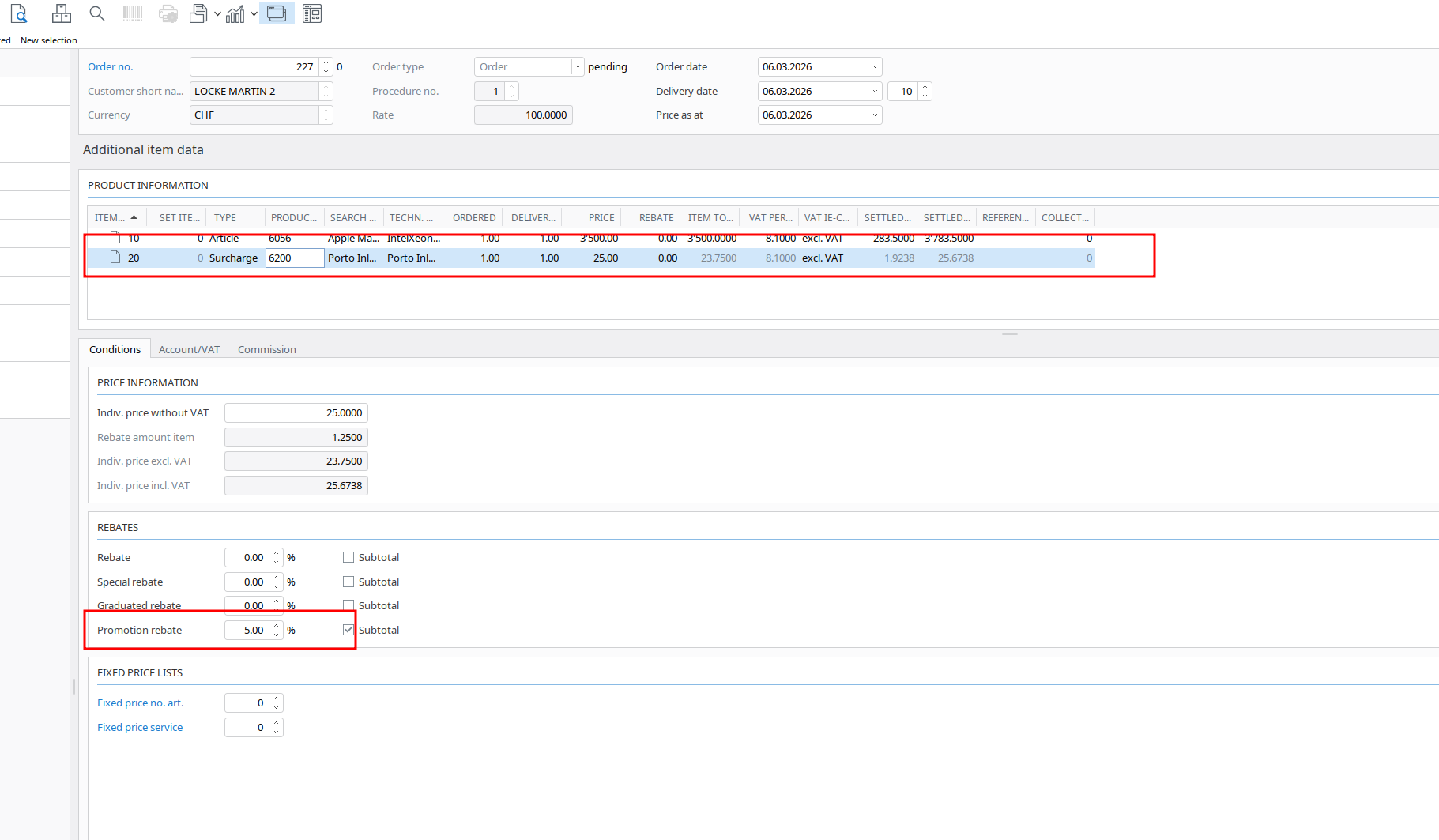
- Click on the line item in the table:
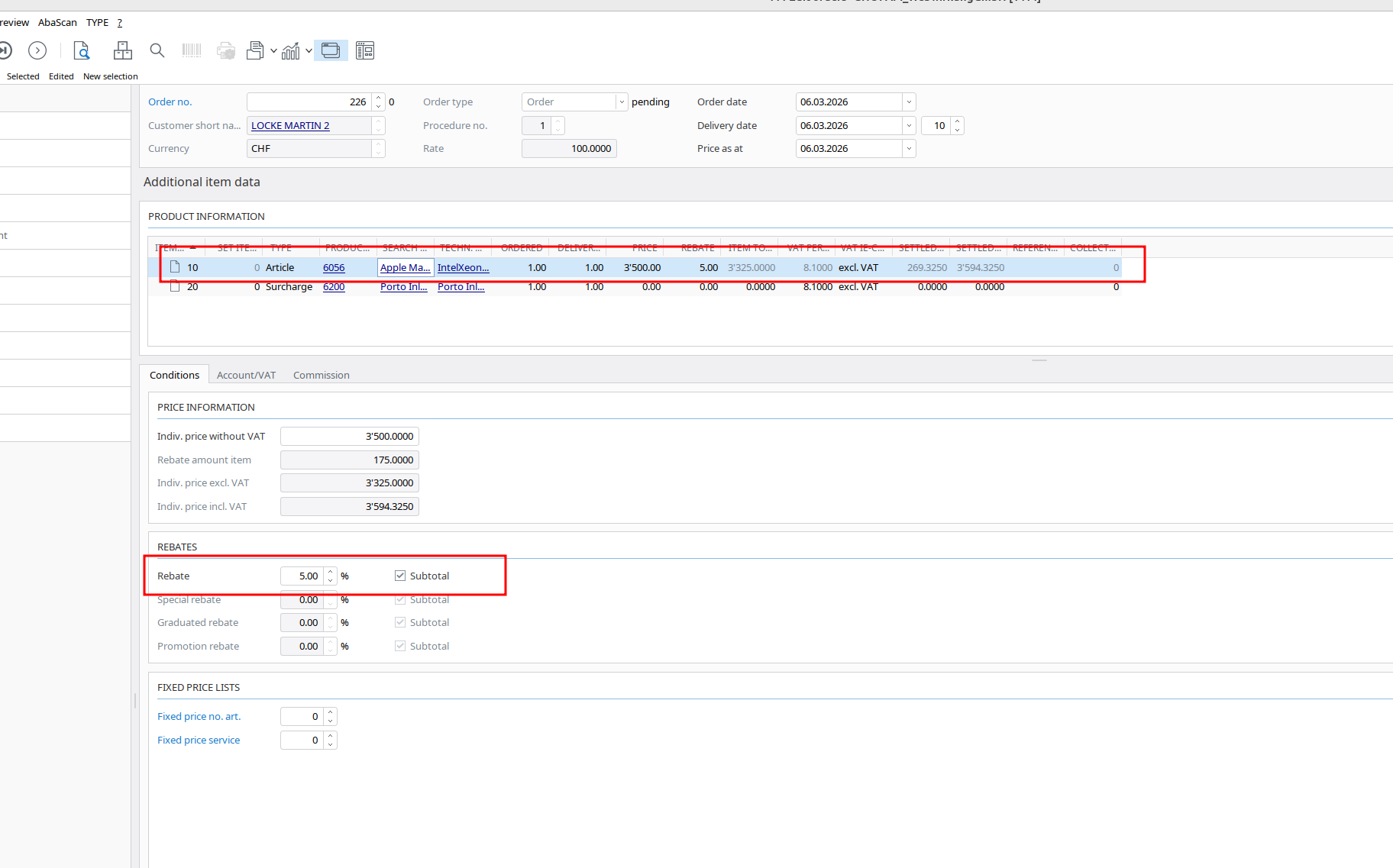
2. Shipping discount
In Shopware:
- In plugin configuration, please set the discount type for the shipping:
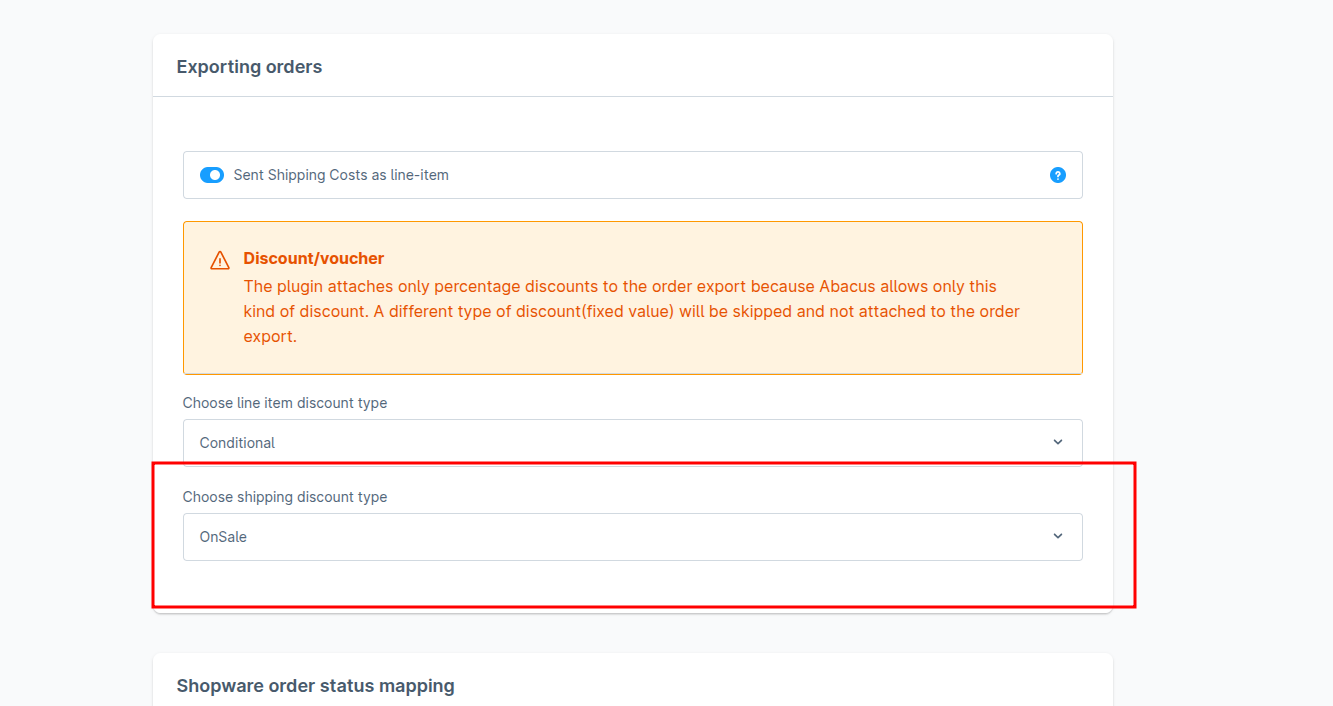
- Create a percentage promotion for a shipping:
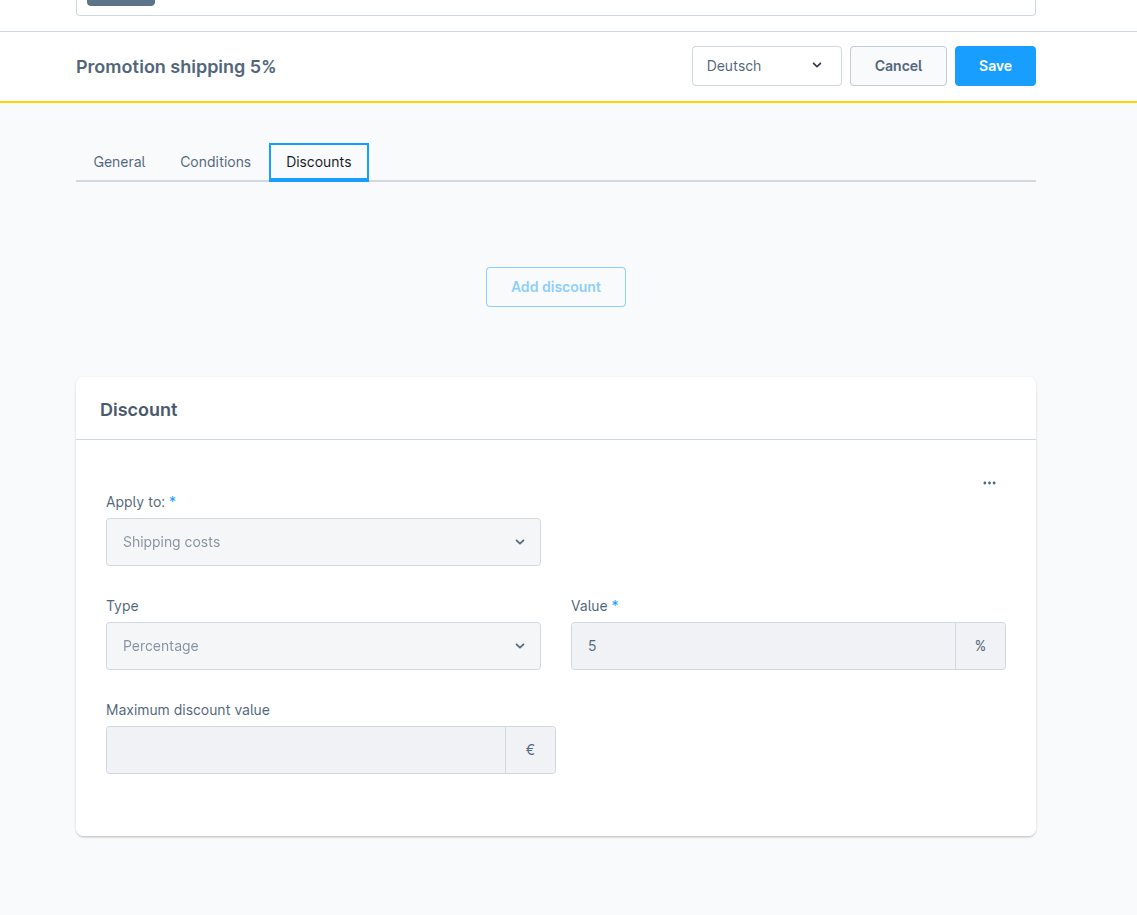
- Place an order with a promotion:
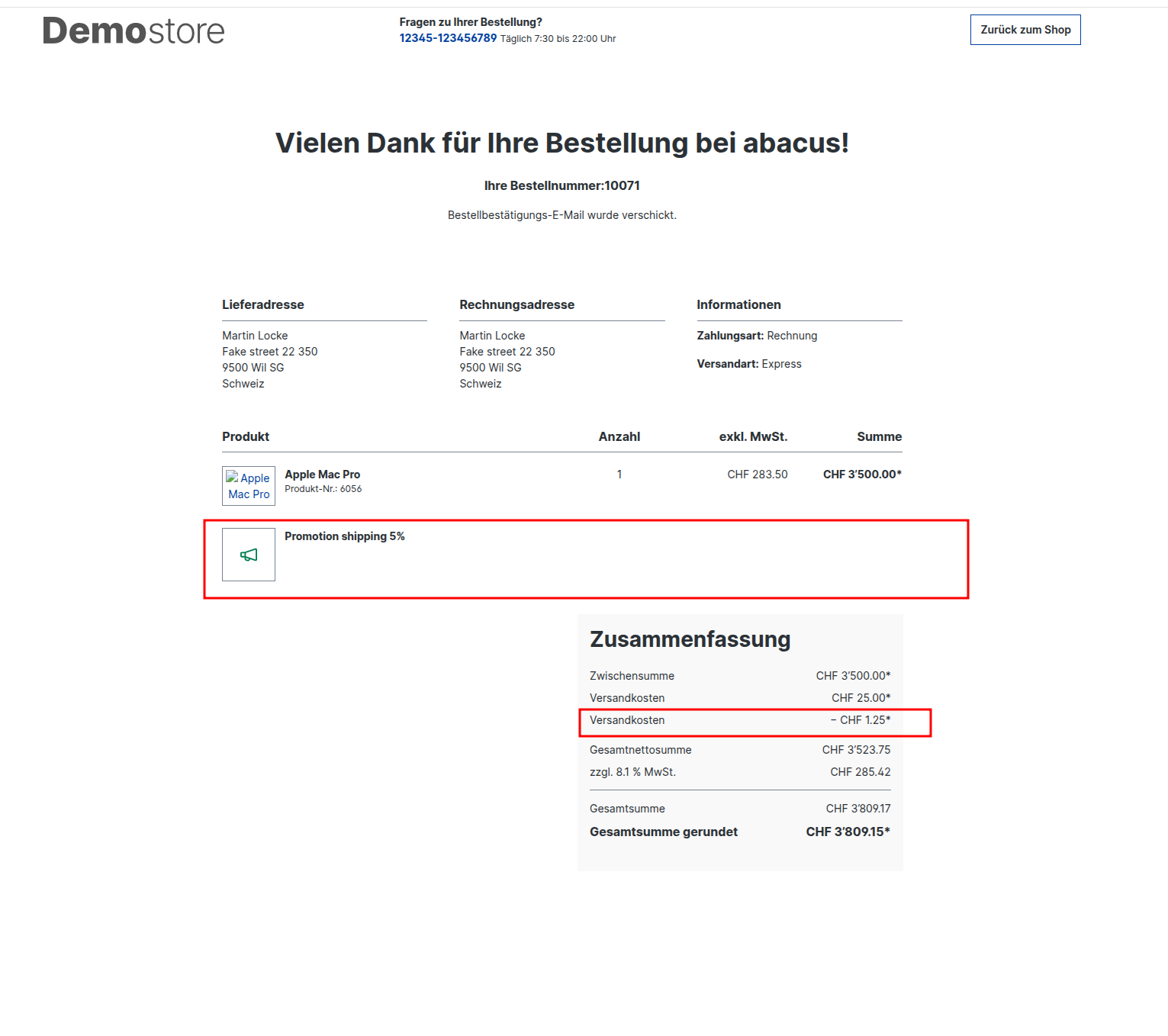
In abacus
- Go to Abacus -> E-business -> Edit e-documents(API)(J15)
- Find your order
- Process order in Abacus
- Switch to Order Processing -> Edit orders(111)
- Find your order
- Choose Additional item data on the left bar
- Click on the shipping line item in the table: