
Price Debugger
INFO
Available since plugin version 2.1.1.
The Price Debugger is an administration tool that shows, for one product and one customer, exactly what price Abacus returns and what the plugin has cached. It is the place to answer "why does this customer see this price?" without touching the storefront.
You can find it in the administration under Settings -> Extensions -> Abacus Price Debugger.
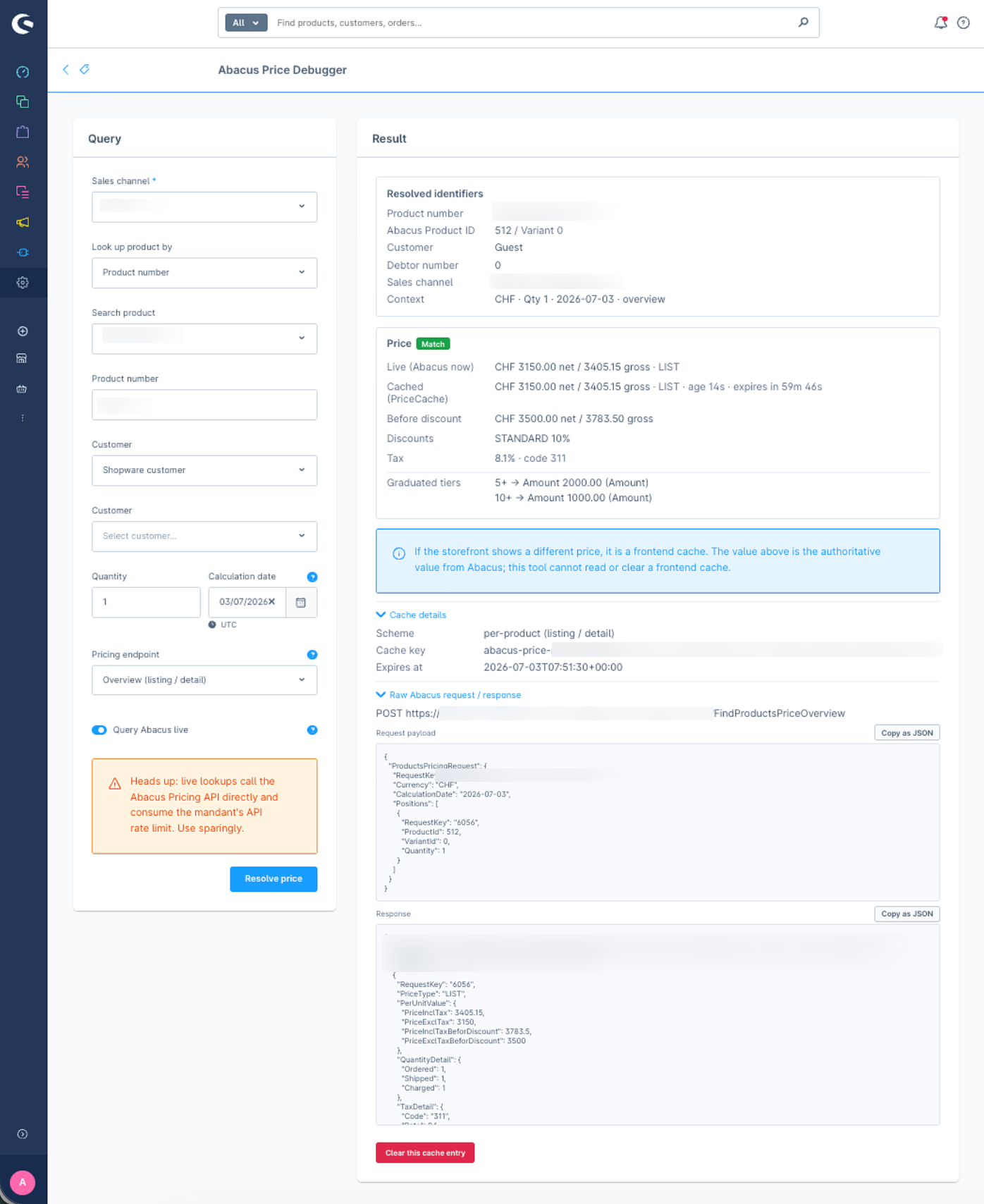
Query
Pick a sales channel and a product - either by searching the product number or by entering the Abacus Product ID (and optional Variant ID) directly. The price can be calculated as a Shopware customer, as a guest, or as a raw Abacus debtor number. Quantity and calculation date (defaults to today) control which price lists, promotions and graduated prices apply.
The Pricing endpoint switch selects which of the two price flows to inspect: Overview mirrors the listing/detail price, Shopping cart mirrors the in-cart price. Both are cached per product, each under its own key.
With Query Abacus live enabled, the tool calls Abacus directly (bypassing the price cache) and shows the live value next to the cached one. Live lookups consume the mandant's API rate limit, so use them sparingly.
Result
The result shows the resolved identifiers (product number, Abacus Product/Variant ID, debtor number, mandant), the cached price with its age and expiry time, and - in live mode - the live Abacus price including the before-discount value, discounts, fees, tax and graduated price tiers. When cached and live values differ, the cache is flagged as stale.
The cache details section exposes the cache scheme, key and expiry, and the entry can be cleared directly from the tool. The raw Abacus request payload and response are available for support cases and can be copied as JSON.
Note: if the storefront still shows a different price, a frontend cache (e.g. HTTP cache) is in play. The value in this tool is the authoritative value from Abacus; the tool cannot read or clear a frontend cache.